HalfPast Get the app

Student planner for Android

Your school day, in one calm place.

Timetable, homework, exams and grades together, so you always know what's now, what's next and what's due.

  • Free to use
  • Works offline
  • No account needed

Features

Everything a student needs, nothing in the way

One app for your classes, deadlines and grades, built to open fast when you're late for a lecture.

Class timetable

A timetable that keeps up with real life

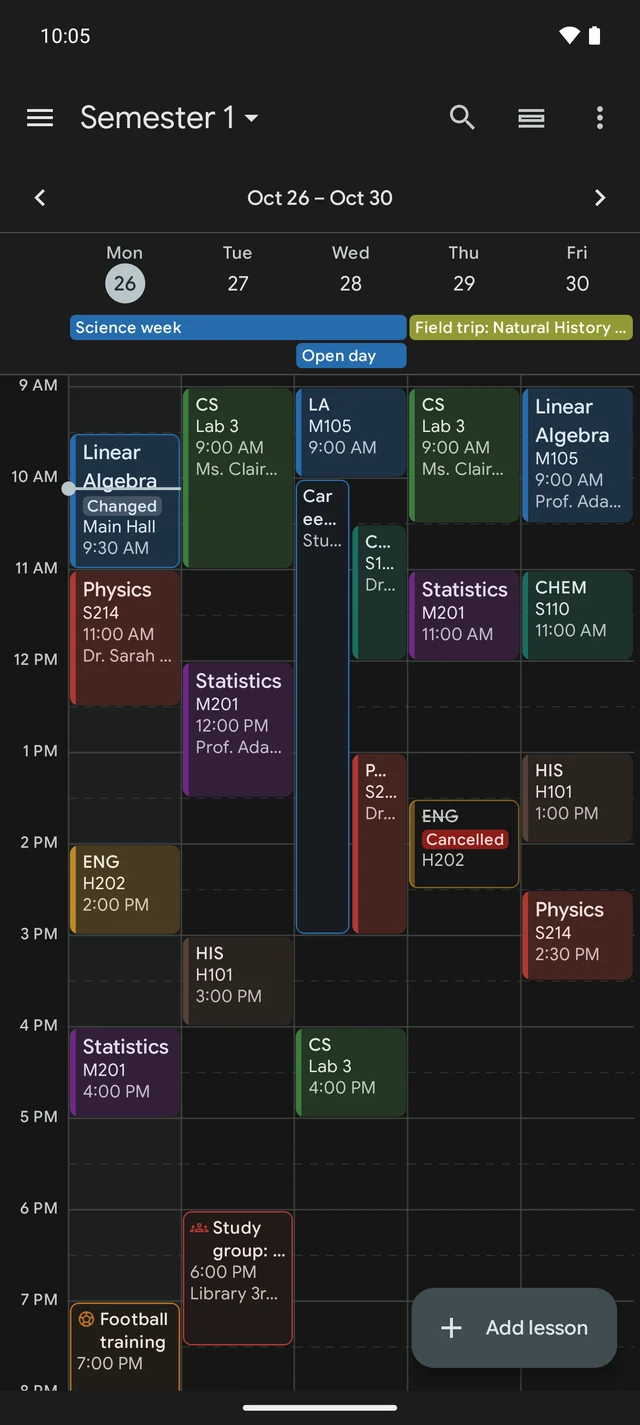
Your week at a glance, every subject in its own colour, and the changes that actually happen: a new room, a cancelled lecture, a lesson that moved.

  • Rotating A/B weeks and bell schedules with long breaks
  • One-off changes: cancel, move, re-room or "online this time"
  • Online lessons with a Join button for the meeting link
  • Snap a photo of your timetable to set it up in seconds
HalfPast week timetable with colour-coded lessons, a room change and a cancelled lesson

Homework & exams

Never miss a deadline again

Homework, exams and reminders in one list, sorted by what's due. Type or say "Maths homework p.42 due Friday" and HalfPast fills in the rest.

  • Subtasks, priorities and attachments for bigger assignments
  • Several reminders per task, plus alarm-style alerts for the big ones
  • Schedule, list and month views with events and holidays
  • Home-screen widgets for Now & Next and Today
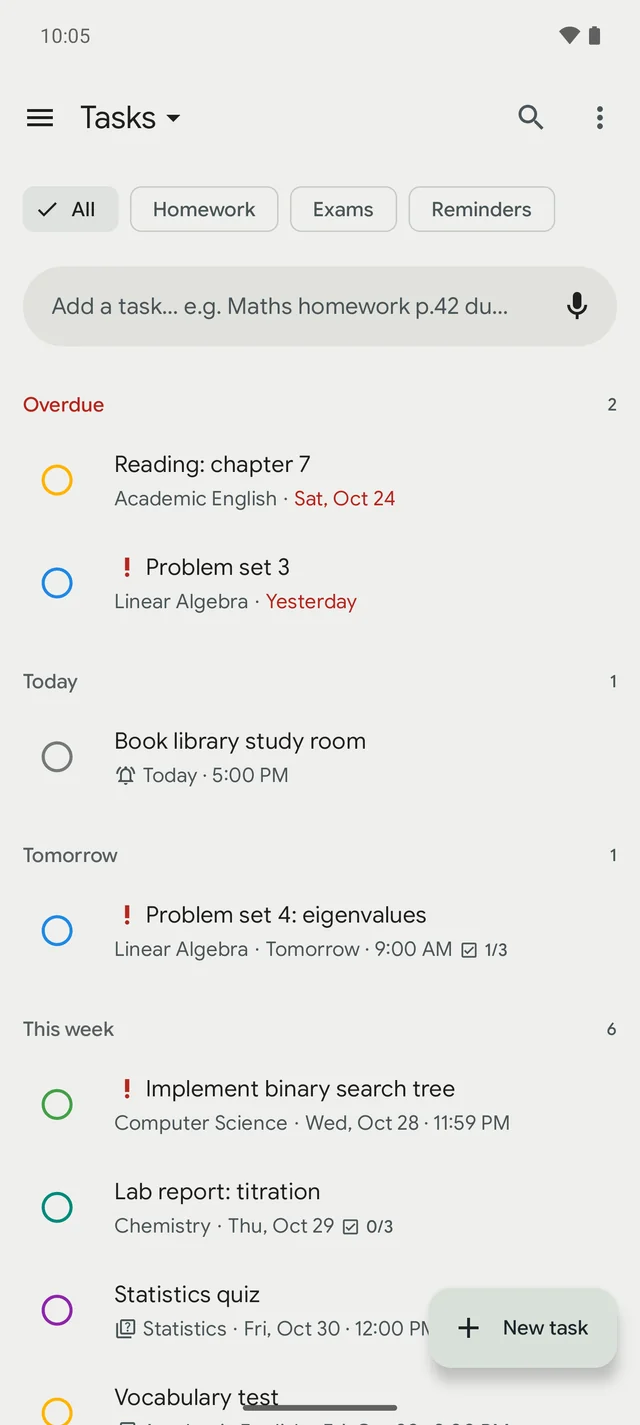
HalfPast homework list grouped into overdue, today, tomorrow and this week

Grades & attendance

Know exactly where you stand

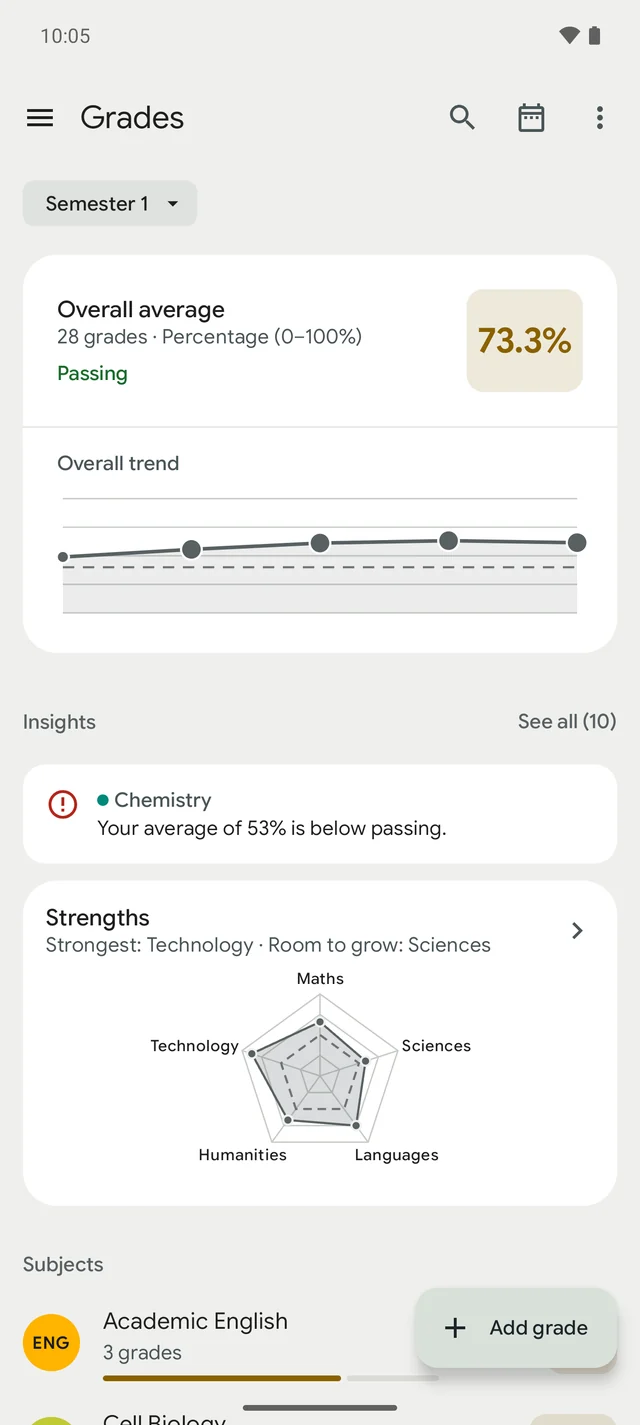
Averages, trends and insights for every subject, in your country's grading system. Set a goal and HalfPast tells you the grade you need on the final.

  • 15 grading systems from percentages and GPA to 1–6 and 0–20, or your own
  • Weights, categories and terms handled for you
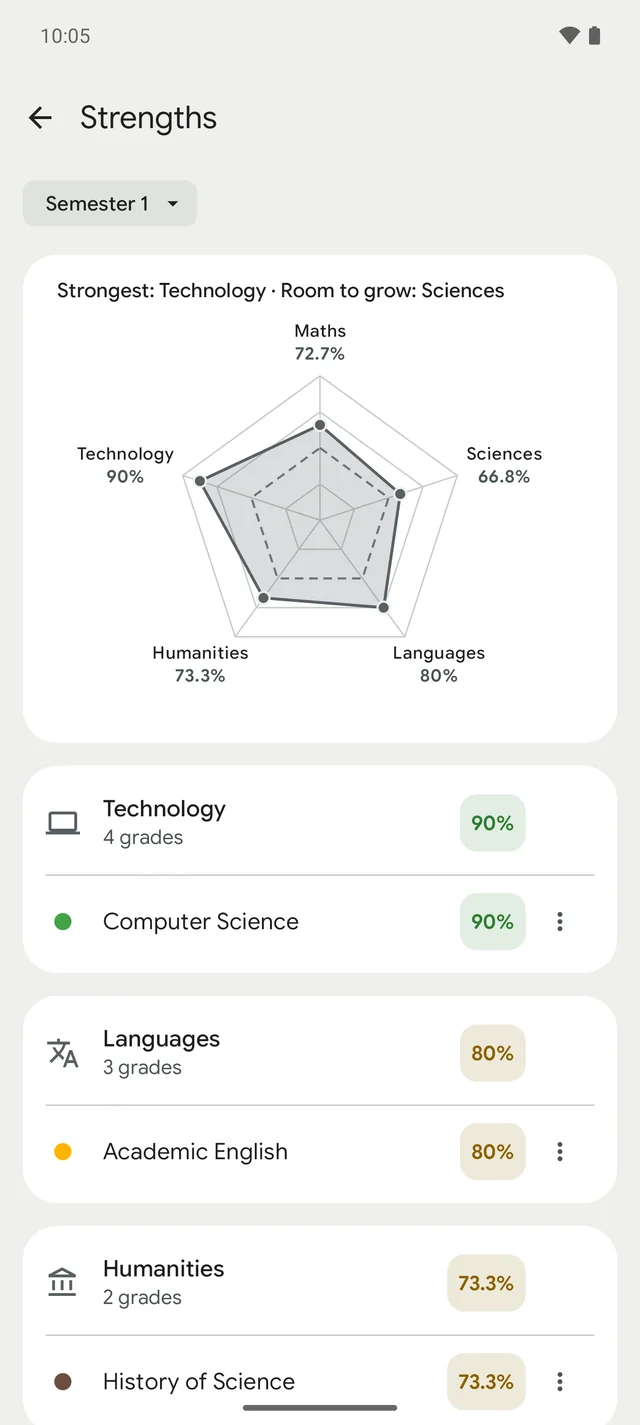
  • Strengths Plus compares your subject areas at a glance
  • Attendance with absences, late arrivals and leaving early
HalfPast grade tracker with overall average, trend and insights
HalfPast Strengths chart comparing maths, sciences, technology, languages and humanities

Study tools

Study smarter, not longer

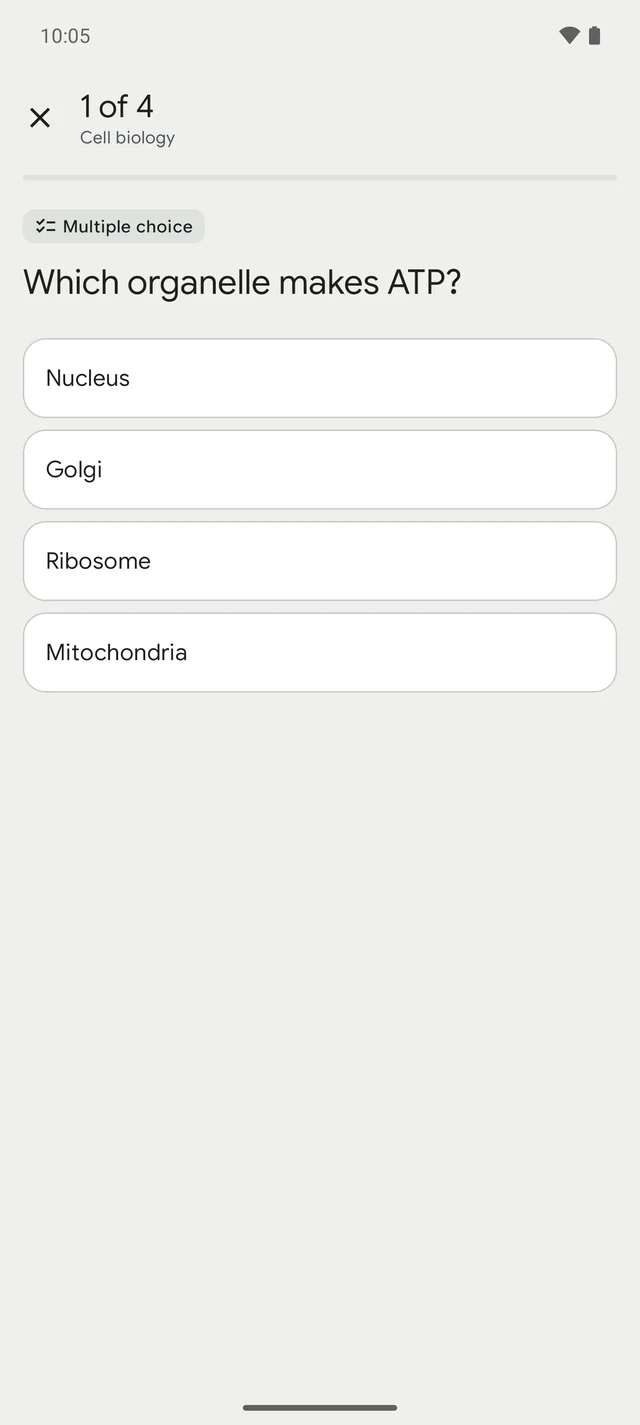
Record a lecture and get the transcript, a summary and key points. Turn your notes, lectures or textbook photos into practice tests that explain every answer.

  • Practice tests: multiple choice, true/false, fill in the blank
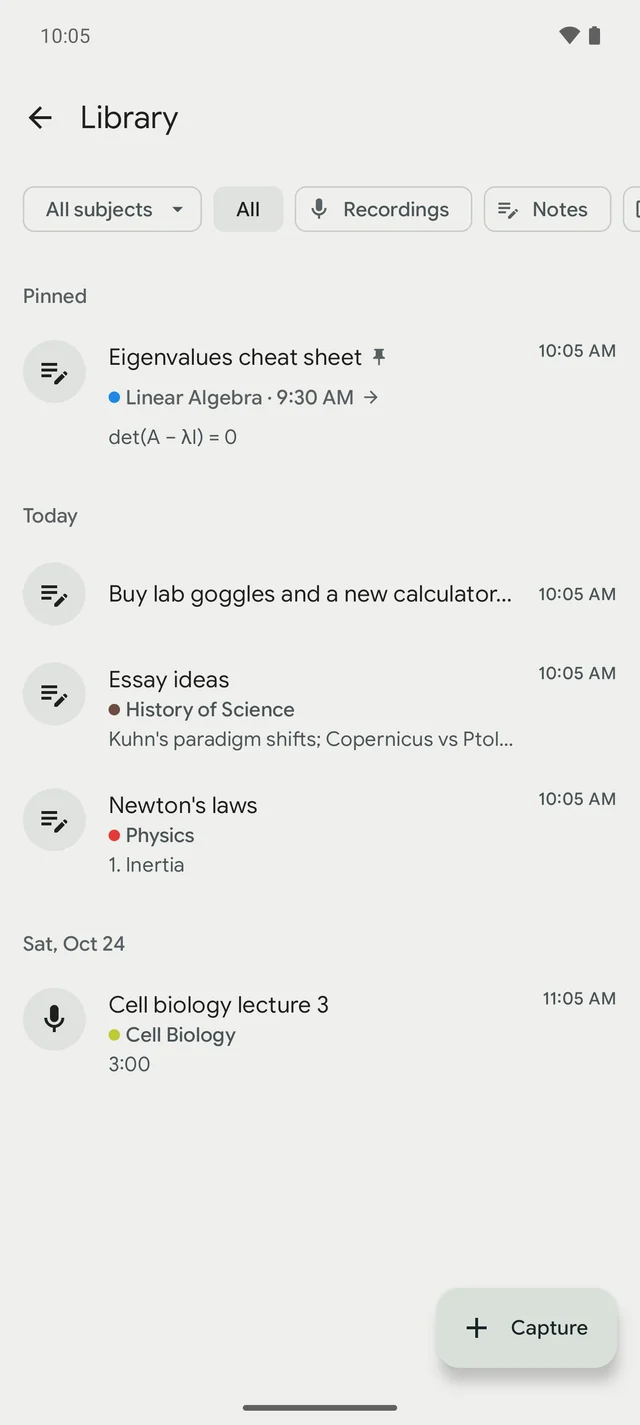
  • Notes linked to lessons, so everything for a class is in one place
  • Scan a whiteboard or syllabus and get its tasks as suggestions
  • Nothing is added without you: AI only ever suggests
HalfPast practice test with a multiple-choice question about cell biology
HalfPast library with pinned notes and a lecture recording

Focus

Stay focused and see your progress

A focus timer that counts your study time and keeps your streak, and a term recap that shows how far you've come.

  • Focus sessions per subject with breaks built in
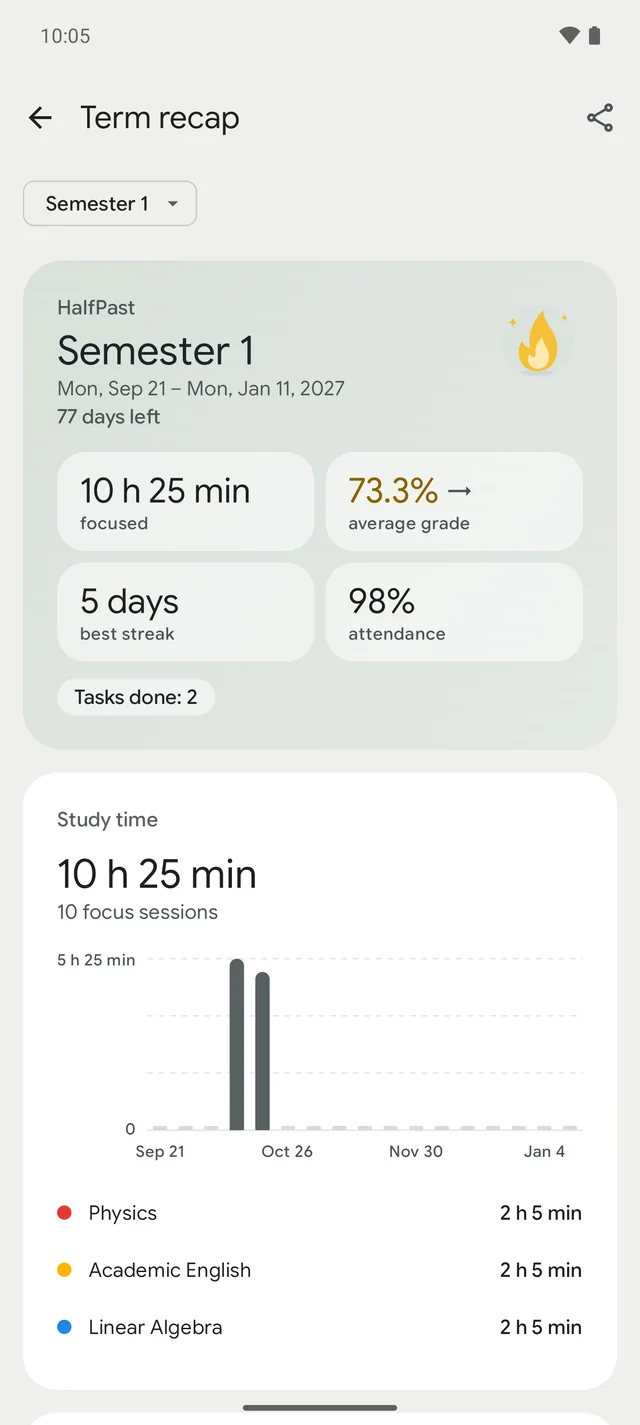
  • Term recap: study time, streaks, grades and attendance
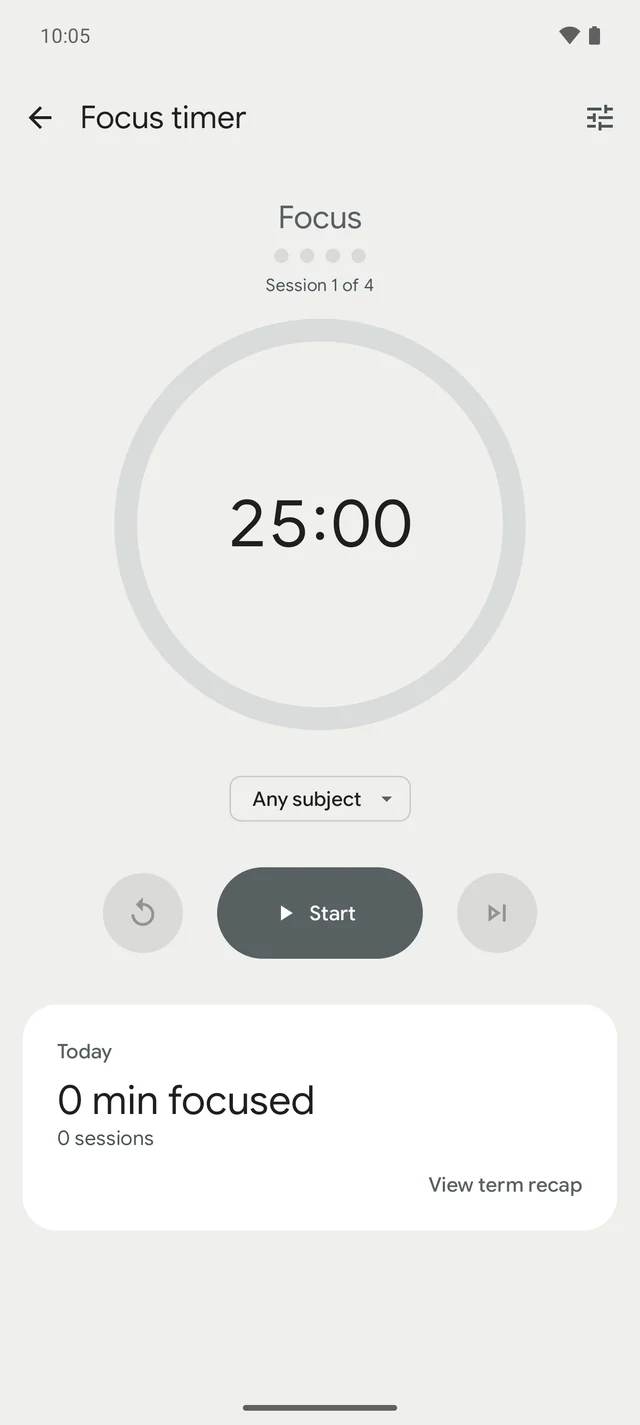
HalfPast focus timer at 25 minutes
HalfPast term recap with study time, average grade, best streak and attendance

How it works

Set up in minutes, useful all year

  1. 1

    Add your timetable

    Type your lessons, follow the guided setup, or take a photo of your timetable and review what HalfPast found.

  2. 2

    Capture what's due

    Add homework and exams as they're announced, by typing, speaking or scanning the whiteboard.

  3. 3

    Track and study

    Log grades, see what you need for your goal, and practise for the next exam with your own notes.

Phones and tablets

Room to see your whole week

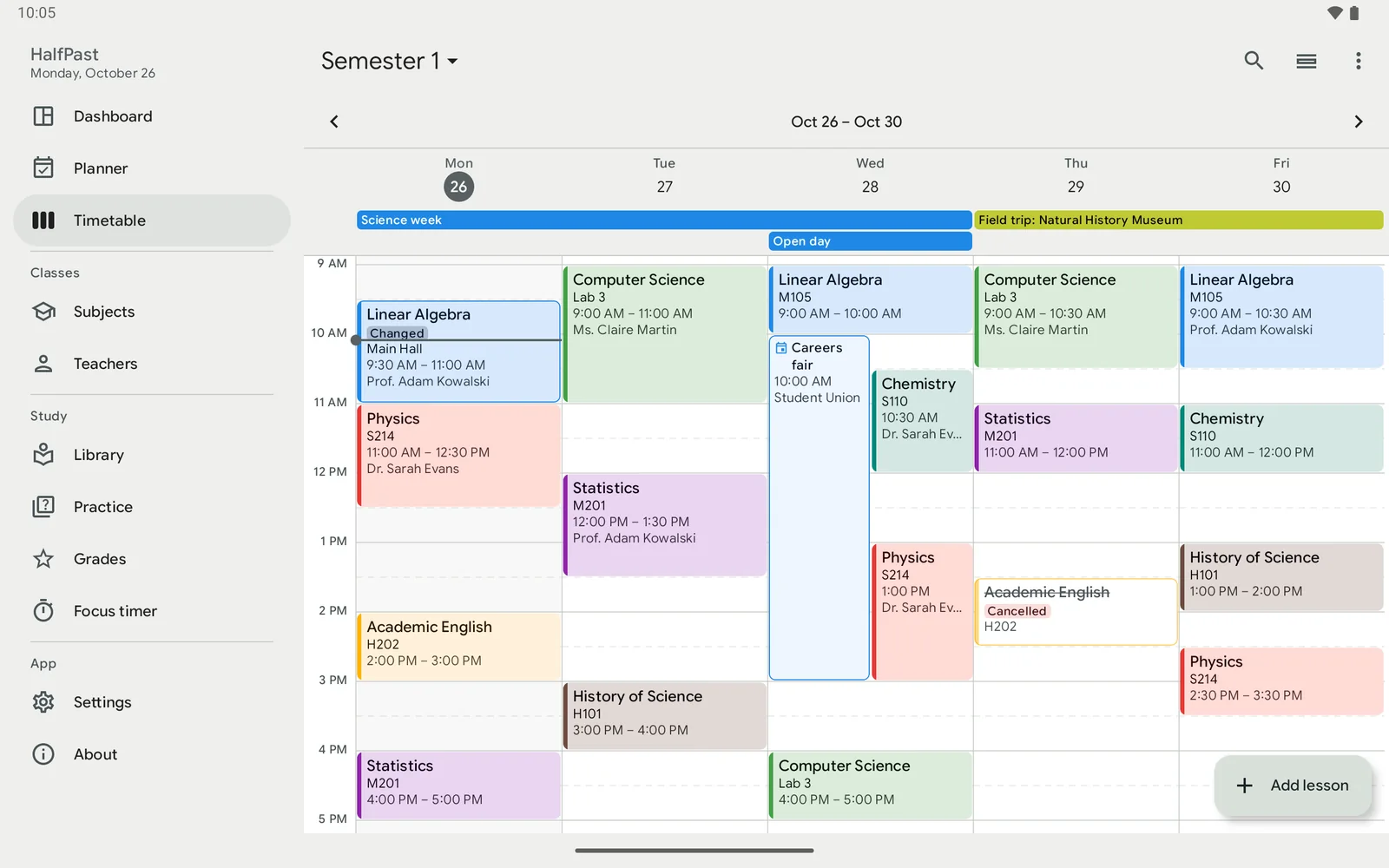
On a tablet, HalfPast spreads out: side navigation, list and detail side by side, and the full week in one view.

HalfPast on an Android tablet showing the full week timetable

Dark theme

Beautiful at 2 a.m.

A full dark theme for late study sessions, accent colours to make it yours, and dynamic colour that matches your wallpaper.

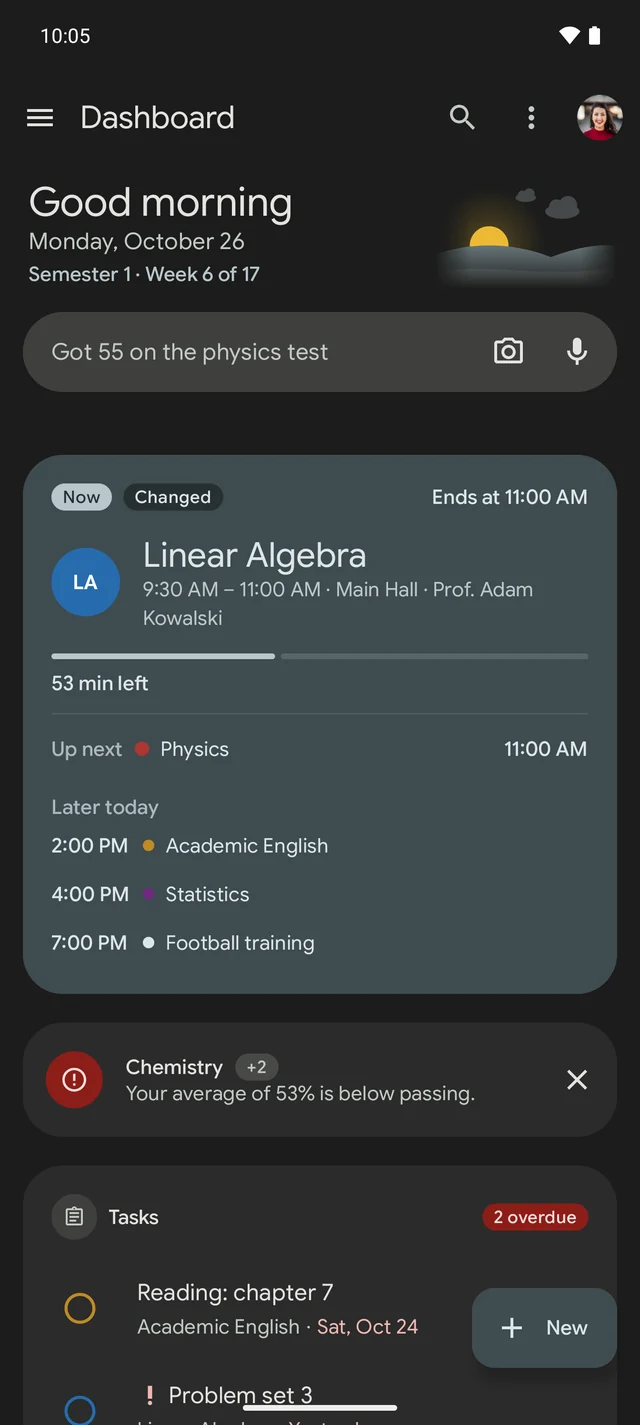
HalfPast dashboard in dark theme
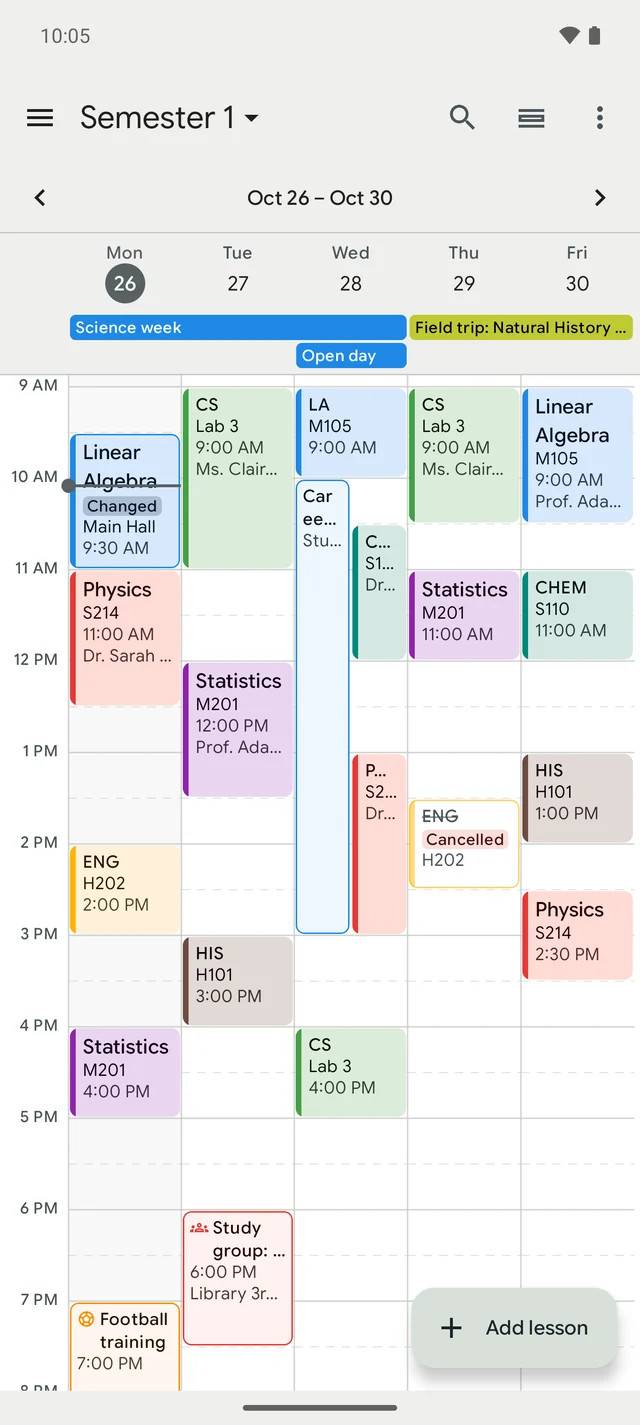
HalfPast timetable in dark theme

Privacy

Your planner, your data

Works offline, syncs when you want

Everything works without an account. Sign in with Google, Apple or email to sync across your devices, for free.

Private by design

Only you can see your planner. Download it, or delete your account and its data, at any time, right in the app.

Suggestions, never surprises

Scans, photos and quick add turn into suggestions you review first. Nothing lands in your planner until you say so.

Pricing

Free to plan. Plus for more AI.

Every planning feature is free, without limits. Plus removes the ads and adds generous monthly AI allowances.

Free

For everyday planning

  • Timetable, tasks, grades and attendance, without limits
  • Notes, focus timer and term recap
  • Sync across devices with 100 MB of cloud storage
  • A one-time trial of every AI feature
  • A few ads, never on the timetable or editors
Download free

Plus Monthly or yearly

For studying with AI

  • No ads
  • 10 hours of lecture transcripts a month
  • 100 practice tests a month
  • 200 scans and 10 timetable photos a month
  • 10 GB of cloud storage
  • Strengths: your grades across subject areas
Get Plus in the app

FAQ

Questions, answered

Do I need an account to use HalfPast?

No. HalfPast works fully on your phone without signing in. An account (Google, Apple or email) is only needed to sync between devices and for AI features.

Is HalfPast for school or university?

Both. Use terms or semesters, rotating weeks, lectures, labs and seminars, credits, and the grading system of your country, from percentages and GPA to 1–6, 1–10 or 0–20.

Does HalfPast work offline?

Yes. Your timetable, tasks, grades and notes live on your phone. Sync and AI features need a connection; everything else works anywhere.

Is HalfPast free?

Yes. Every planning feature is free without limits, including sync with 100 MB of cloud storage and a one-time trial of the AI features, with a few ads. HalfPast Plus, monthly or yearly, removes the ads and adds monthly AI allowances and 10 GB of storage.

What does the AI do with my content?

AI features only run when you use them and agree first. Photos, recordings and text are sent to our AI provider to create transcripts, summaries, practice tests and suggestions, and the results are always shown to you to review.

Can I delete my data?

Yes, at any time: Settings → Account → Delete account removes your account and everything stored for it. You can also download a backup of your planner first. How to delete your account.

Is there an iPhone version?

Not yet. HalfPast is available for Android phones and tablets.

Half past nine, and you're ready.

Get HalfPast on Google Play and set up your week in minutes.

Get it on Google Play